How to Play Extreme Car Parking 3D
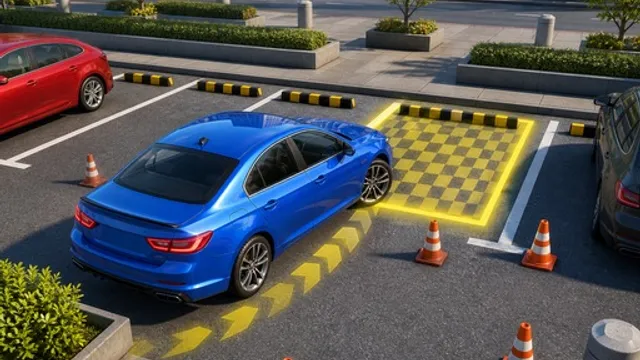
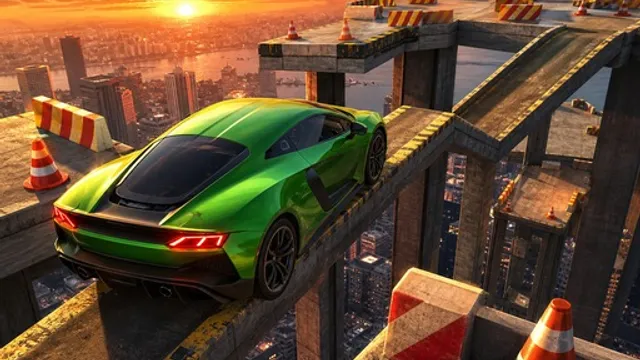
Take a parking test and build it in mid-air. The courses here are elevated obstacle tracks made of narrow platforms, steep ramps and barriers, with a marked parking zone waiting at the end. You drive with WASD or the arrow keys and brake with Space, and the level is only complete when the car is fully stopped inside that zone. There is no traffic to worry about and no rival to beat — the drop off the side of the track is the entire opposition.
That drop changes how you drive completely. On a normal road, drifting a foot wide costs you nothing. Up here it costs you the run. Ramps make it worse, because a car that goes up a steep incline too quickly leaves the surface at the top and lands somewhere it was never supposed to be. So this is a game about controlled slowness: enough throttle to keep moving, enough braking to stay in control, and the discipline to stop lining up the parking bay until you have actually reached it. Later courses stack the platforms tighter and add more direction changes, which means more chances to over-correct at exactly the wrong height.
Tips for Parking Without Falling
- Crawl the narrow sections. On a thin platform, speed converts a small steering error into a fall. Tap the accelerator in short bursts rather than holding it.
- Crest ramps gently. Approach a steep ramp with just enough momentum to climb it. Charging up at full speed launches the car and takes the landing out of your hands.
- Straighten before you brake. Braking mid-turn on a narrow surface unsettles the car sideways. Get pointed straight, then use Space.
- Approach the bay square. Do your angle-fixing on the run-in, not inside the zone. A car that arrives already lined up only needs to stop; one that arrives crooked needs a shuffle you may not have room for.
Frequently Asked Questions
Is Extreme Car Parking 3D free to play?
Yes. It runs free in your browser with no download or sign-up.
How does a level count as complete?
You have to bring the car to a full stop inside the marked parking zone — reaching the end of the track is not enough on its own.
Do I need a keyboard?
Yes. Driving uses WASD or the arrow keys with Space for the brake, so play it on a computer.