How to Play Cars vs Zombies
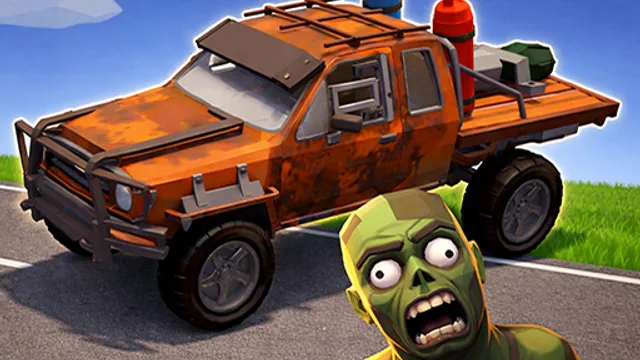
This is vehicular survival, not lap racing. You are dropped into an arena with a car and a crowd of zombies that wants you stopped, and your bumper is the weapon. Drive with the arrow keys or WASD, collect points as you flatten the undead, and tear up the scenery while you are at it — the environments are built to be smashed. Clear waves, bank the resources you earn, and take them back to the garage.
The garage is where a run turns into a campaign. Resources buy stat improvements, bolt-on armor plating, and boosters, and there are several vehicle types and maps to work through. That upgrade loop is also what shapes the difficulty: early waves are a warm-up you can bully through, but later crowds are dense enough that driving into the middle of them at full speed simply stops your car dead. A stopped car surrounded by zombies is a dead car. So the real skill is not aggression — it is keeping your momentum. Good players treat the arena like a track, carving long loops through the horde and never letting the wheels stop turning.
Tips for Surviving Longer Waves
- Never stop moving. Momentum is your armor. Cutting a wide, continuous arc through the crowd kills far more zombies than charging in and getting bogged down.
- Hit clusters at an angle. Plowing straight into a thick pack bleeds all your speed at once. Clipping the edge of a group lets you sweep through several zombies and drive out the other side.
- Buy survivability before raw speed. Armor and durability upgrades keep runs alive long enough to earn more resources. A fast car that dies in wave three funds nothing.
- Use the destructible scenery as a map. Smashed objects leave open lanes behind them. Wrecking a path early gives you clean escape routes when the arena gets crowded later.
Frequently Asked Questions
Is Cars vs Zombies free to play?
Yes. It runs free in the browser, and the upgrades are earned in-game with resources you collect.
How do upgrades work?
You earn resources by playing, then spend them in the garage to improve vehicle stats, attach armor, and equip boosters. Different vehicle types can be unlocked too.
Do I need a keyboard?
Yes. Steering is done with the arrow keys or WASD, so play it on a computer rather than a phone.